
When deciding to incorporate generative AI into business operations, understanding not just performance but also delivery methods, pricing, and operational ease accelerates decision-making. The Qwen series combines open models for research with commercial cloud offerings, with Qwen3-Max positioned at the top tier.
This article concisely organizes Qwen3-Max’s overview, key features, pricing, usage, and application perspectives.
Table of Contents
- Qwen3-Max Overview
- Key Features of Qwen3-Max
- Long Context Processing Design
- Efficiency Through Context Caching
- Diverse Delivery Methods
- Stable vs. Preview Version Usage
- Pricing Structure and Free Tier
- Usage Instructions
- Implementation Checklist
- Qwen3-Max Deployment Considerations
- Summary
Qwen3-Max Overview
Source: https://qwen.ai/blog?id=87dc93fc8a590dc718c77e1f6e84c07b474f6c5a
Qwen3-Max is a cloud-based LLM provided via Alibaba Cloud Model Studio as the flagship text generation model of the Qwen3 generation. The catalog offers stable (qwen3-max) and preview (qwen3-max-preview) versions, plus dated snapshots, with maximum context length of 262,144 tokens and clearly specified input/output limits and free token quotas. It can be accessed via web “Qwen Chat” or API according to use case.
Key Features of Qwen3-Max
Here we focus on practically effective features.
Long Context Processing Design
Handling approximately 260K tokens in a single request makes it suitable for high-information scenarios like summarizing or comparing meeting minutes, contracts, and manuals. Context limits and practical input/output values are clearly specified in official documentation.
-
Reduces redundant splitting and preprocessing, enabling high prompt design flexibility
-
Easier to ensure response consistency for long inputs
In operations, rate limits and parameter settings affect actual input capacity, so profiling during verification provides confidence.
Efficiency Through Context Caching
Reusing the same long context across requests enables latency and token billing compression.
-
Well-suited for use cases repeatedly referencing regulations, FAQs, and knowledge bases
-
Cache hit billing reduction and retention period depend on model and plan
Structuring prompts with caching in mind stabilizes operational costs.
Diverse Delivery Methods
Beyond trial and operations in Qwen Chat, OpenAI-compatible API and DashScope SDK enable easy integration with existing systems.
-
Easy migration from existing OpenAI-compatible clients
-
Detailed parameters like thinking can be controlled on supported models
Unifying usage channels smooths the transition from verification to production.
Stable vs. Preview Version Usage
Using stable, preview, and snapshots allows balancing quality verification with reproducibility.
-
Snapshot pinning for scenarios avoiding release impacts
-
Quick verification of new features via preview
Designing update cycles alongside quality monitoring maintains operational quality.
Pricing Structure and Free Tier
Pricing follows pay-per-token with separate input and output rates. Regional differences, free token quotas, and prepaid savings plans are available.
Singapore Region Guidance
| Token Band | Input Rate ($/1M tokens) | Output Rate ($/1M tokens) |
|---|---|---|
| 0–32K | 1.2 | 6 |
| 32K–128K | 2.4 | 12 |
| 128K–~252K | 3 | 15 |
Representative free token quota is 1 million tokens with 90-day validity. Actual quotas, periods, and rate limits vary by timing, region, and account type, so incorporate into verification plans and cost estimates. For stable high-volume usage, consider Savings Plan prepayment for rate optimization. For latest information, check the official site.
Usage Instructions
Brief summary of the flow to actual use.
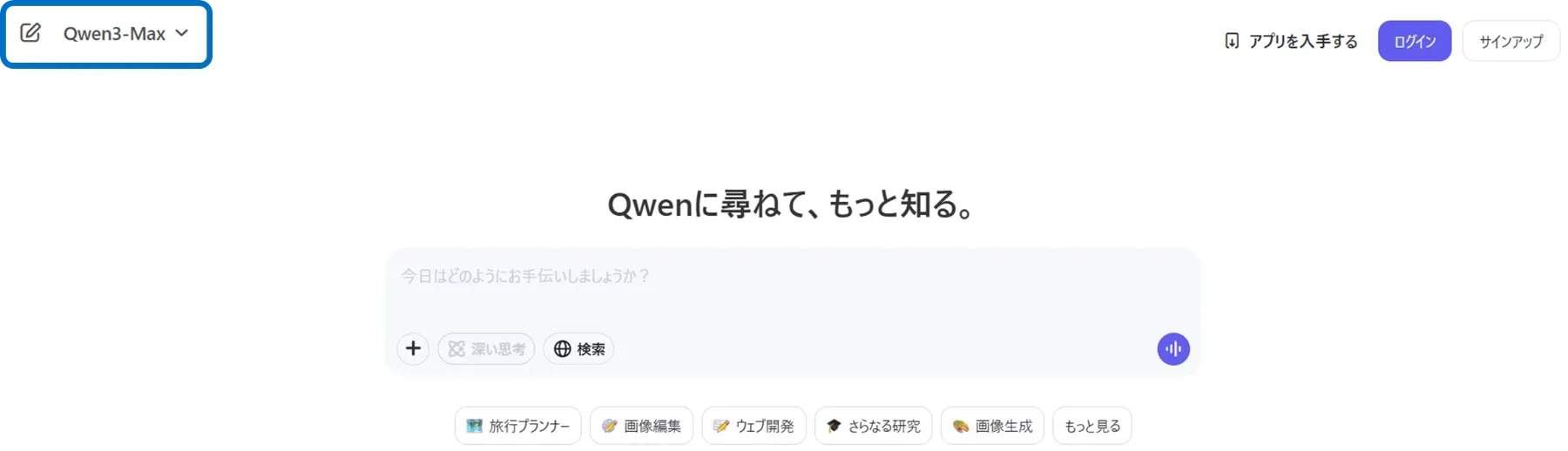
First, create an Alibaba Cloud account, enable Model Studio, and issue an API key. For web trials, log into Qwen Chat and select Qwen3-Max in model selection.
For system integration, use OpenAI-compatible endpoints or DashScope SDK, specifying model=qwen3-max or qwen3-max-preview. For advanced thinking parameters, set enable_thinking, thinking_budget, etc. on supported models only.
Python Sample
import osfrom openai import OpenAI
client = OpenAI(    # If the environment variable is not set, replace it with your Model Studio API key: api_key="sk-xxx",    api_key=os.getenv("DASHSCOPE_API_KEY"),    base_url="https://dashscope-intl.aliyuncs.com/compatible-mode/v1",)completion = client.chat.completions.create(    model="qwen3-max",    messages=[        {"role": "system", "content": "You are a helpful assistant."},        {"role": "user", "content": "Who are you?"},    ],    stream=True)for chunk in completion:    print(chunk.choices[0].delta.content, end="", flush=True)
For advanced parameters like thinking length, set enable_thinking, thinking_budget, etc. according to documentation on supported models only (applicability varies by model).
Implementation Checklist
To balance deployment effectiveness with operational stability, incorporate these points into design upfront:
- Data Protection and Operations
Model Studio explains platform-side privacy considerations like isolated cloud networks. On the company side, organize confidentiality classifications, retention periods, and audit requirements into API operation rules.
- Regional and Free Tier Differences
Free token quota availability, validity periods, and rate limits vary by region and model as specified. Reflect in verification plans and cost estimates.
- Cost Optimization
Review prompt length and reuse design with tiered pricing and context caching in mind. Consider Savings Plan prepayment discounts for high volumes.
- Thinking Mode (Applicable Models)
Qwen3 generation provides thinking-related parameters. Applicability and billing impact are model-dependent, so verify API reference sections before deciding enablement.
Qwen3-Max Deployment Considerations
Organize general risks to anticipate in production operations. Brief points with mitigation directions:
- Token Overrun Cost Fluctuation
Long input/output inflates tokens beyond expectations, so set guardrails assuming maximum input/output lengths and budget caps.
- Model Update Impact
Behavioral changes may affect quality, so incorporate snapshot pinning and release note verification into operations.
- Data Handling Compliance
Manage input data rights, confidentiality classifications, and API transmission storage/logging according to company policies.
Designing these upfront suppresses quality fluctuation and cost variance when transitioning from PoC to production.
Summary
Qwen3-Max offers a well-balanced combination of long context support, delivery method flexibility, and clear pay-as-you-go pricing suited for practical operations. Start by grasping behavior in Qwen Chat, obtain an API key from Model Studio, and call model=qwen3-max from existing OpenAI-compatible clients to easily connect verification results to business prototypes. Combine snapshot pinning, context caching, and Savings Plan as needed for continuous optimization of both quality and cost.